Best Software for Digital Products: A Creator's Guide
Find the best software for digital products by matching tools to your real bottleneck. Compare monetization channels, costs, and workflows before you commit.
Choosing the best software for digital products isn't a matter of finding the platform with the longest feature list. It's a matter of finding the tool that solves the problem currently keeping your business from moving forward. A creator who needs more buyers won't fix that bottleneck by switching to a fancier ebook editor. Someone who can't finish a product won't be rescued by a more elaborate sales funnel.
Start by naming the constraint. Then choose software that addresses it without making your business harder to operate, or your customers harder to serve.
Why Feature Checklists Fail When Choosing Software
Feature checklists make software look comparable. They don't tell you which feature matters to your business right now.
That distinction matters because online-course creators don't all struggle with the same problem. In survey data, marketing and student acquisition ranked as the biggest challenge for 34.5% of creators, ahead of narrowing the offer and teaching method at 18.5%, technology management at 16.8%, and the time required to create and maintain a course at 16% (online-course creator survey). A platform packed with writing tools won't solve an audience-acquisition problem. An elaborate funnel won't help much if you still haven't decided what you're selling.
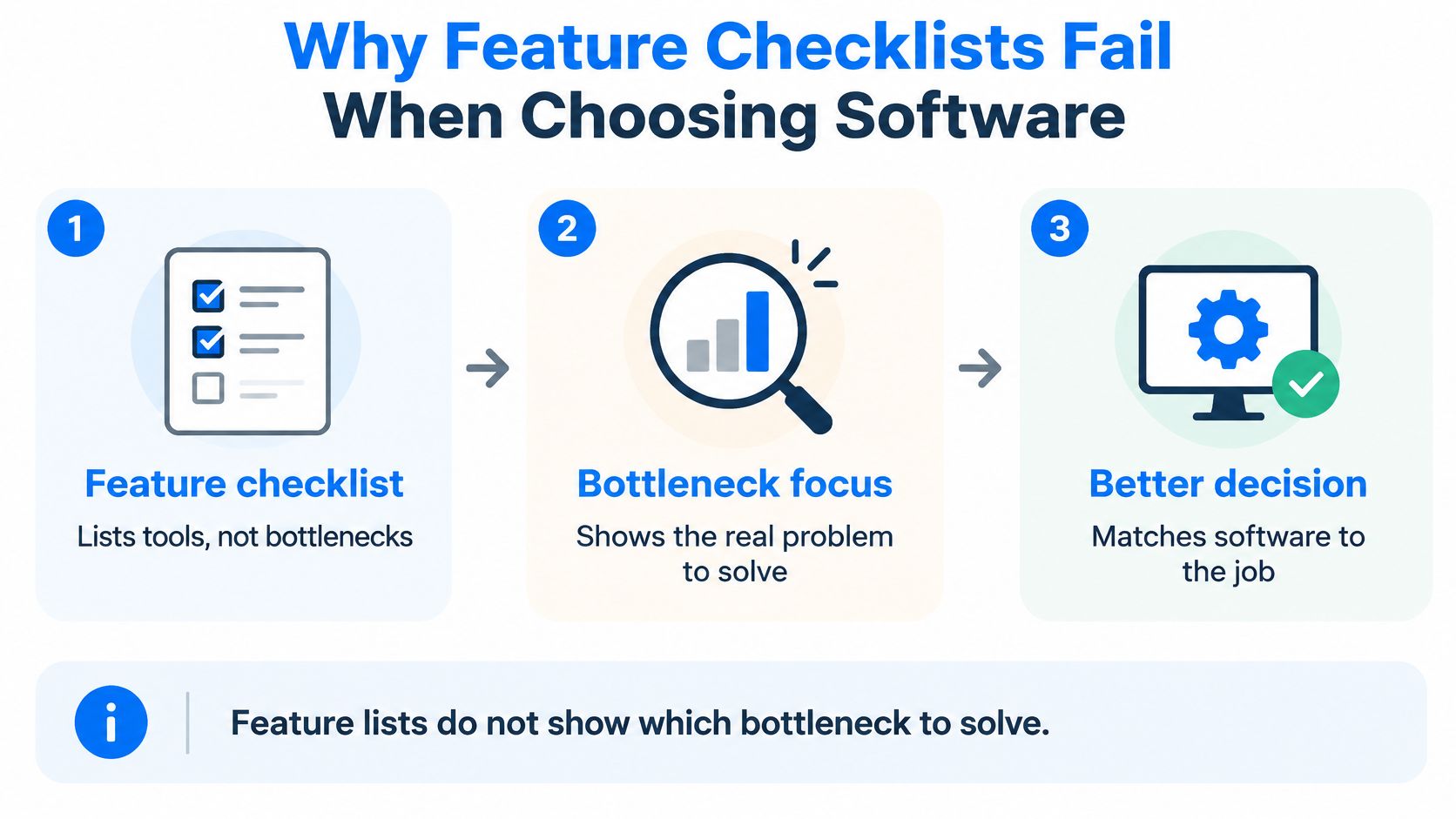
The useful question isn't “Which platform has the most features?” It's “What's the most important obstacle between my expertise and a working offer?” Be candid. If you don't have an audience, the obstacle may be distribution. If you have interested buyers but no finished product, it may be production. If you sell but spend too much time managing customers manually, your bottleneck is operations.
Write this sentence before you compare tools: “I need software that helps me ______, because ______ is currently stopping me from selling or delivering my offer.”
Use that diagnosis as a filter. Ignore features that don't address the blank, even if they look impressive in a product tour.
A course creator who already has lessons but struggles to find students should prioritize email, audience segmentation, and a clear sales path. A consultant who has a repeatable method but no product may need structured drafting and export tools first. The right choice changes as the business changes. Choose for the constraint you have, not the imaginary business you hope to run someday.
The Five Monetization Channels for Blogs and Digital Products
Software decisions make more sense when you know what kind of business you're building. A blog or creator business can earn through advertising, affiliate partnerships, digital products, courses, or services. These channels aren't interchangeable. Each rewards a different asset, and each asks you to take on different work.
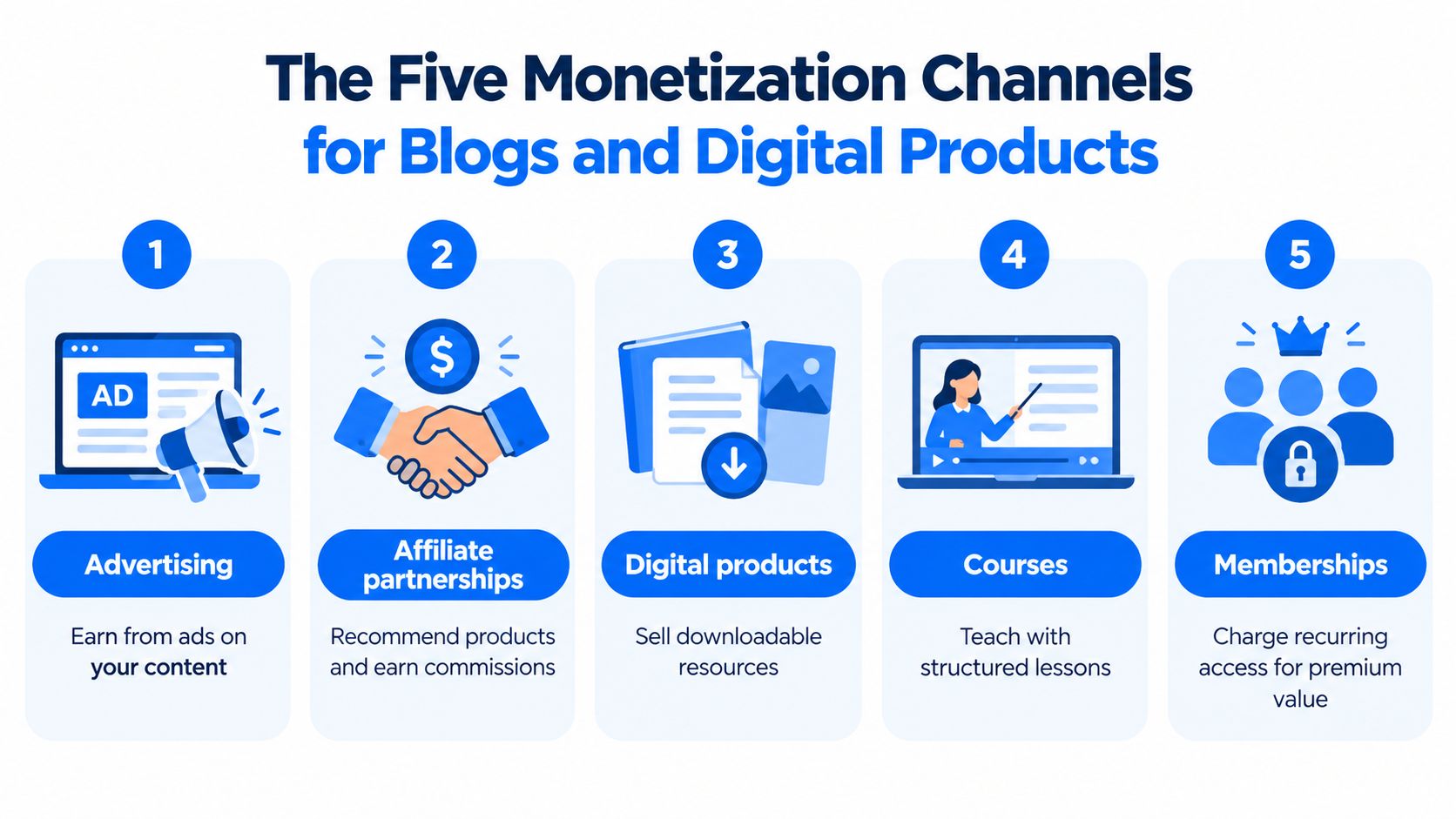
- Advertising earns from attention. It can suit a publisher whose articles attract steady readership, but a small audience often won't generate enough income to justify building the business around ads alone. Ads also put another company's promotions on your site, which may not fit a highly focused brand.
- Affiliate partnerships earn commissions when readers buy products you recommend. They suit a specialist who can explain and compare tools from real experience. The trade-off is control: a partner can change its offer, commission terms, or program, so income can be less predictable than selling your own offer.
- Digital products turn expertise into a downloadable resource, such as a workbook, template, or ebook. A nutrition coach might sell a meal-planning guide that answers a recurring client question. You don't need to manage physical inventory, but you do need a useful offer and a reliable way to sell and deliver it.
- Courses package a subject into structured lessons. They fit a teacher with a method that benefits from sequence, practice, or feedback. Course creation and student support take real time, so don't build a large classroom when a short guide would solve the buyer's problem.
- Services sell your time and judgment directly. A consultant can start by working with clients before turning common advice into a product. Services can be easier to validate through conversations, but delivery is limited by your availability.
The best first channel is the one that matches your existing assets. An expert with client experience may start with services or a focused product. A blogger with a trusted niche audience may test affiliate recommendations or a downloadable resource. A teacher with a defined curriculum may be ready for a course.
Many businesses eventually combine channels, but stacking them too early creates needless work. First make one offer easy to understand, buy, and receive. Then consider whether another channel supports that offer or distracts from it. If you're weighing formats and sales routes for a downloadable guide, this practical overview of where to sell ebooks can help you think through the options.
What Digital Product Software Actually Has to Do
A tool that stores a file isn't necessarily software that can run a digital-product business. The workflow stretches from making the product to supporting the buyer after payment.
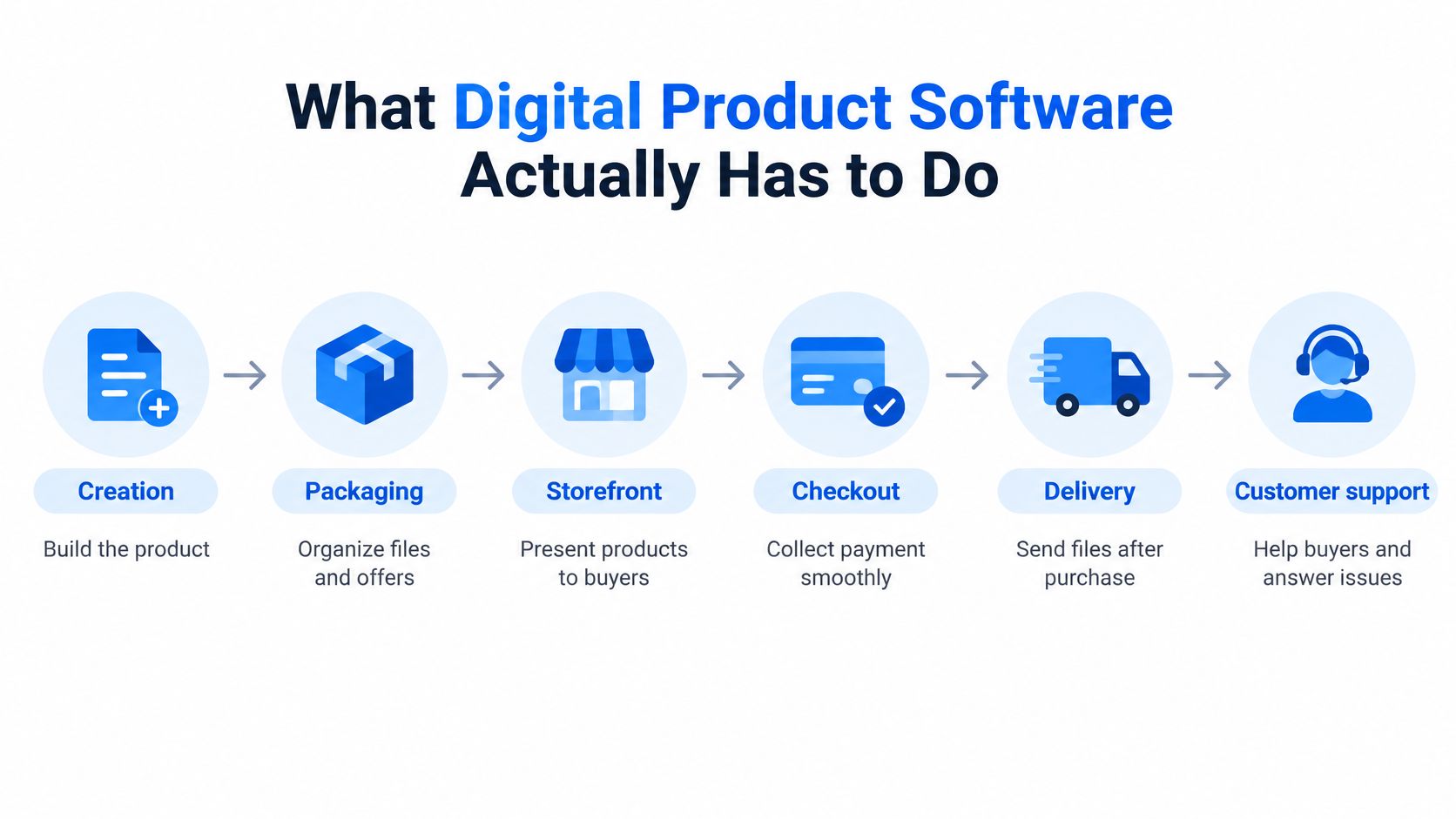
Creation and packaging help you turn knowledge into a usable ebook, course, template, or other resource. Check whether you can edit the result, organize it clearly, and export it for use beyond the platform. A polished editor is helpful, but its value drops if you can't get your finished work out.
The storefront and checkout turn interest into a purchase. The sales page should explain what's included, while checkout should make the price clear and avoid unnecessary friction. Baymard's research reports a 70.19% global average cart-abandonment rate. In a benchmark of 344 leading US and European ecommerce sites, 65% of checkout experiences were rated mediocre or worse, while only 2% were rated good. The same research estimates that resolving documented checkout problems could produce an average 35.26% conversion-rate increase for large ecommerce sites (Baymard checkout usability research). Those figures are a warning to scrutinize the buying path, not a promise that any platform will produce a particular result for your business.
Delivery and customer support complete the sale. The buyer needs the right file or access, and you need enough information to resolve payment or access issues without piecing together records from disconnected tools. Product access, delivery messages, buyer records, and support processes are part of the product experience.
Accessibility belongs throughout that system, not just in the visual design. WCAG 2.2 organizes accessibility around four principles: perceivable, operable, understandable, and compatible with assistive technologies. Its guidance has practical consequences for ebooks, lessons, sales pages, and checkout interfaces, including meaningful text alternatives, clear navigation, keyboard operation, and support for assistive technologies (W3C guidance on WCAG). Check both what the software lets you create and whether buyers can use it.
A sensible evaluation follows the whole purchase. Can a customer understand the offer, complete checkout, receive access, and find help if something goes wrong? A weak handoff at any stage can undermine an otherwise strong product.
All-in-One Platforms Compared with Assembled Tool Stacks
An all-in-one platform puts several jobs in one workspace. An assembled stack combines separate tools for content, storefront, payments, email, and customer records. Neither approach wins in every situation.
A connected platform can reduce setup and context switching. Product information may carry through to the storefront, buyer records, and follow-up messages, which means fewer manual transfers and fewer chances for records to go stale. The trade-off is that you're working within one provider's capabilities. If the platform lacks a specialized feature your business depends on, integration won't make that gap disappear.
An assembled stack gives you more choice. You might use a writing tool for a book, a dedicated storefront for sales, an email service for campaigns, and a separate customer-management tool. That can work well when one part of your workflow needs deeper functionality. But every connection adds setup, maintenance, and another place where customer context can get lost. The sticker price alone won't show the cost of managing those connections.
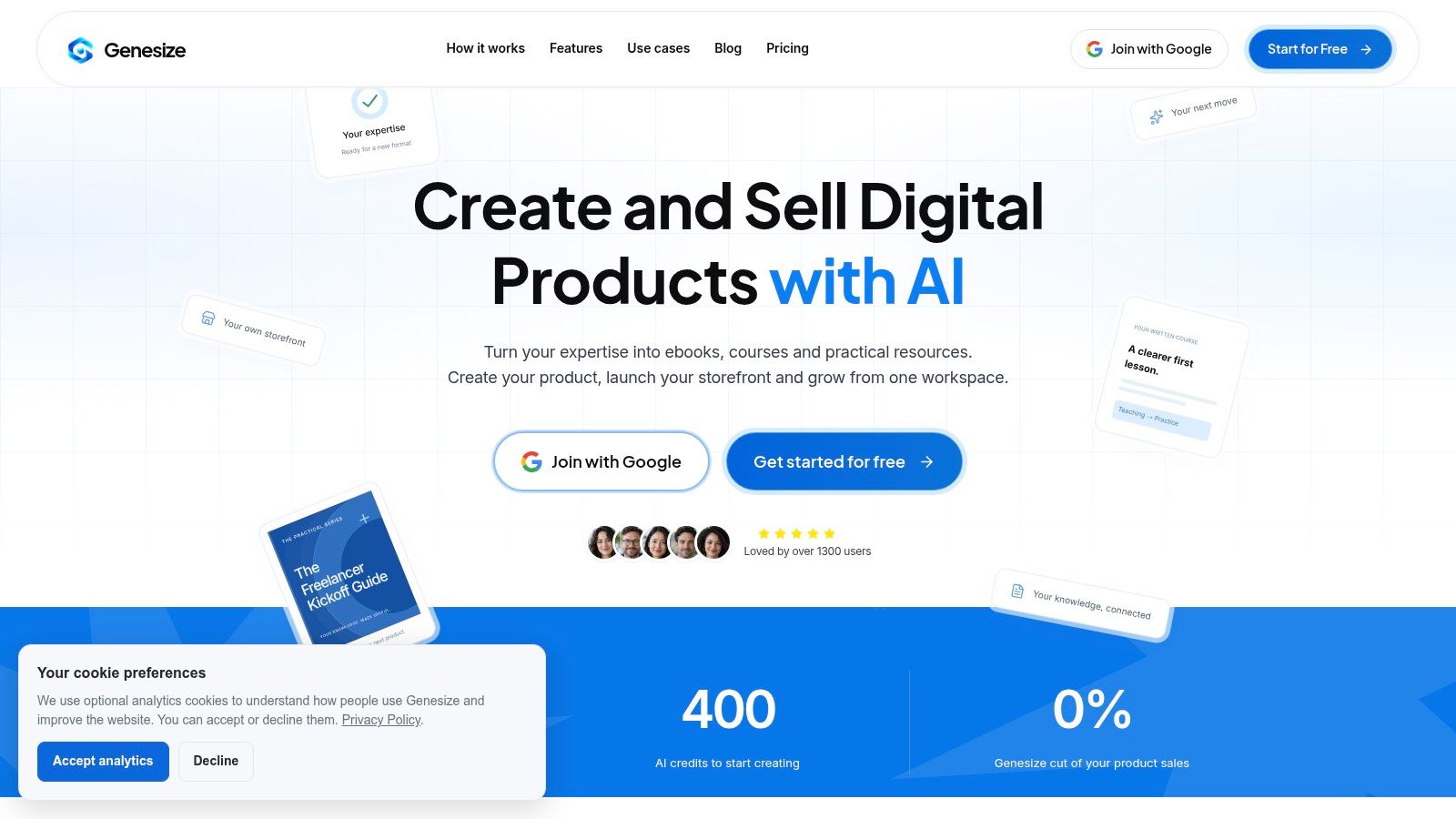
For creators selling ebooks or written courses, Genesize combines AI-assisted product creation with an Expertise Library, an AI interview for capturing methods and examples, editing and layout tools, cover comparisons, and PDF and Word exports. Its workspace also includes hosted storefronts with one-time pricing, Stripe checkout, product access and file delivery, sales-page drafting, email campaigns and follow-ups, buyer records and segments, recommendations from a Growth Agent, and order and sales analytics. Those features make an integrated workflow a plausible fit when creation and sales operations are both consuming attention. It's not the obvious choice for every product: if hosted video classrooms or communities are central to your offer, a platform built around those functions is a better fit.
This overview offers another way to compare Genesize and Kajabi through their intended roles and workflows. The key question is whether a unified environment removes busywork you have, or whether a specialist tool would solve a more important problem.
A product walkthrough can help you judge the workflow before committing to it.
Choose an all-in-one setup when the main drag is stitching together routine work. Assemble tools when a specific capability is important enough to justify the extra coordination. Don't pay for integration as an abstract virtue. Buy back time or improve a customer-facing step.
How to Choose Software for Your Stage
The same platform can be a practical starting point for one creator and the wrong purchase for another. Choose from the work you need to do next, not from a generic ranking.
| Creator situation | Primary bottleneck | Must-have capabilities | Can wait |
|---|---|---|---|
| Validating a single ebook | Finding out whether buyers want the offer | Simple product page, straightforward payment, dependable file delivery, exportable files | Complex automation, memberships, advanced reporting |
| Launching a cohort course | Enrolling learners and communicating clearly | Course structure, a clear enrollment path, buyer records, email follow-up, accessible materials | A large catalog, elaborate design customization |
| Turning consulting expertise into a repeatable product | Organizing methods and reducing manual delivery | Structured content creation, reusable resources, sales page, delivery, customer records | Specialized video or community features unless the offer needs them |
| Managing products for clients | Keeping projects and customer context organized | Clear workflows, reliable exports, buyer-data access, handoffs, sales and order visibility | Features that don't support client delivery or reporting |
The table is a starting point, not a contract. A cohort course that relies on live sessions has different needs from a self-paced course. A consultant creating a short workbook may not need course-hosting functionality at all.
Before you commit, ask four questions:
- Can I leave with my work and records? Check how you can export product files and customer data, and whether those exports are usable outside the platform.
- Can buyers see what they'll pay? Confirm that the total price is clear before they submit payment and that the purchase flow works on mobile.
- Can customer activity support follow-up? Look for a practical way to connect purchases and product interest to appropriate email campaigns.
- Can I tell who needs attention? Buyer records and useful segments should help you identify people to follow up with, without forcing you to reconstruct their history from separate systems.
Don't treat the monthly subscription as the whole cost. You also pay in setup time, overlapping subscriptions, upkeep, and sales lost when a confusing process blocks a purchase. For a first offer, the best software is often the simplest system that can create, sell, deliver, and support it reliably.
The Overlooked Buying Questions Most Comparisons Skip
Software earns trust by helping you operate when conditions change, not just when everything goes to plan. Before choosing, look beyond the product page and ask what happens if you switch providers, change payment channels, or need to contact buyers outside the platform.
Small businesses face barriers that include limited digital skills, financial constraints, regulatory requirements, cybersecurity concerns, and gaps in broadband access. At the same time, research reports that 99% of small businesses use at least one digital platform (small-business digital growth research). Being online doesn't eliminate the risk of depending on a tool you can't easily leave, or of building a workflow that assumes every buyer has the same access and technical ability.
That risk matters for education and digital delivery. During COVID-19 school closures, 91% of countries used online learning platforms, but those platforms reached only about one-quarter of students globally, according to UNESCO's technology in education report. UNESCO also reported that only about 50% of lower-secondary schools worldwide had internet access for educational purposes in 2022. For creators, the practical lesson is to test how products work under ordinary constraints: can buyers download a file, understand access instructions, and use materials without unnecessary technical hurdles?
Make these questions part of your software evaluation:
- Portability: Can you export the product and buyer records in a usable form?
- Data control: Do you have appropriate access to customer details and clear records of consent?
- Email operations: Can you manage follow-ups responsibly and understand the tools that affect delivery?
- Payment practicality: Can buyers in your intended markets complete a purchase using the payment options the system supports?
- Security and recovery: Do you understand how access, customer records, and delivery are handled if a service changes or becomes unavailable?
- Channel flexibility: Can you keep selling through your site, audience, or other channels without rebuilding your business around one platform?
The point isn't to avoid integrated software. It's to avoid confusing convenience with ownership. A resilient setup makes routine work easier while leaving you a credible way to continue serving buyers if one part of the system changes.
Your First Week with the Right Software
Start today by writing down your bottleneck and choosing one offer to sell. During the week, select the software profile that fits your stage, publish the product page, and test the full path from payment to delivery. A practical guide to launching an online course can help if a course is your chosen offer.
Check that buyers can access the product, understand the instructions, and contact you if something fails. Don't add a second tool or channel until the first purchase path works. Your next step is simple: get one paid offer live and working.
Genesize brings AI-assisted ebook and course creation together with a storefront, Stripe checkout, product delivery, email tools, CRM, and analytics. If that matches the workflow you need to simplify, explore Genesize and see whether it fits your first offer.