What Is a Digital Download and How Creators Sell One
Learn what is a digital download, how delivery works, which file formats creators use, and what buyers and sellers should know about licensing and fulfillment.
A digital download is a paid file, such as an ebook, template, or course lesson, that a buyer receives once over the internet and keeps on their own device. You've likely bought one already, perhaps a planner you printed at home or a workbook that arrived by email. Selling one feels different, because now you're responsible for the file, the delivery, and what happens when a buyer can't open it.
The Moment a Buyer Clicks Buy
Your buyer finds a sales page, clicks buy, enters payment details, and lands on a thank-you screen. Moments later, an email arrives with a download link. She clicks it, saves a PDF to her tablet, and opens it that evening without returning to your store.
That short sequence contains the whole model. In asking what is a digital download, the useful answer isn't just that a file travels over the internet. It's that a specific item is paid for, delivered once, and saved locally on the buyer's device rather than played through a continuous stream.
What the buyer expects from you
From the buyer's side, the experience should feel simple. She expects a clear product description, a working link, a file she can open, and help if something breaks. She shouldn't need to understand servers or file formats to use what she bought.
From your side, several quiet decisions sit behind that simplicity:
- The product itself: Which file, in which format, at which version?
- The delivery: How does the system confirm she paid before releasing it?
- The rights: What may she do with the file after saving it?
- The support path: What happens if the link expires or the file won't open?
Most beginner explanations cover only the buyer's view or only the seller's tools. That split creates confusion later, when a creator uploads a good document but hasn't decided on licensing wording, replacement links, or tax treatment. You'll make better choices if you hold both views together from the start.
A download isn't finished when checkout succeeds. It's finished when the right buyer can open the right file, on her own device, without your help.
Keep that standard in mind. It turns a vague idea, selling a file online, into a concrete job you can test before launch.
How Downloads Differ from Streaming and Subscriptions
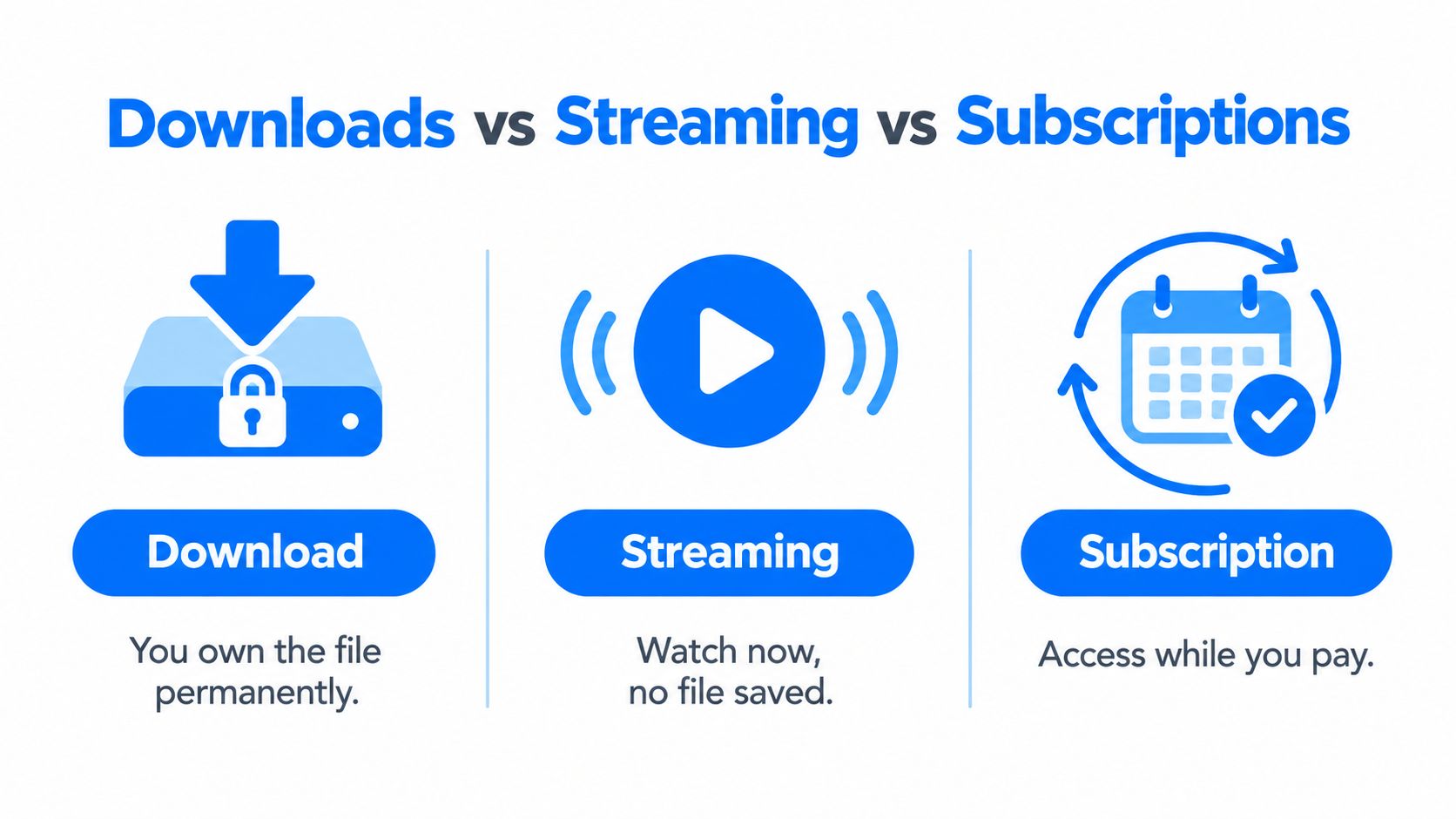
Think of a download as buying a paperback. You pay once, take it home, and reread it whenever you like. Streaming is closer to listening to a radio station. The content reaches you while it's playing, but you don't keep a copy. A subscription resembles a library card with a monthly fee. You can borrow widely while you keep paying, and access ends when you stop.
That analogy explains why a buyer treats these products differently. A downloaded workbook can sit in a folder for months and be printed again next term. A streamed lesson depends on a live connection and a platform session. A subscription course library offers breadth, but the buyer may lose access after cancellation.
A brief history in two turns
Authorized music services showed early on that a single file could be a product in its own right. Recording industry figures for 2004 put U.S. authorized sales at approximately 139.4 million individual tracks and 4.5 million albums, at roughly $0.99 per track and $10 per album, generating about $180 million, or 1.5% of U.S. recorded-music dollar volume at the time.
Streaming later took over everyday listening. RIAA year-end statistics show downloads represented 43% of U.S. recorded-music revenue in 2012, fell to $494.7 million in 2022, down 20.4% year over year, then fell 12% in 2023 to $434 million, only 3% of revenue.
That decline doesn't make downloads obsolete for creators. It clarifies their job. Choose a download when your buyer needs durable, portable, or offline access, such as a checklist she'll reuse, a template she'll edit, or a guide she'll keep beside her desk. Choose streaming or subscription access when ongoing delivery, updates, or a changing library is the point.
How the Delivery Actually Works After Checkout
After checkout, your system still has work to do. It checks who the buyer is, confirms she's entitled to that exact asset, and only then sends the file. If you picture a shop counter, payment and handing over the parcel are two separate steps.
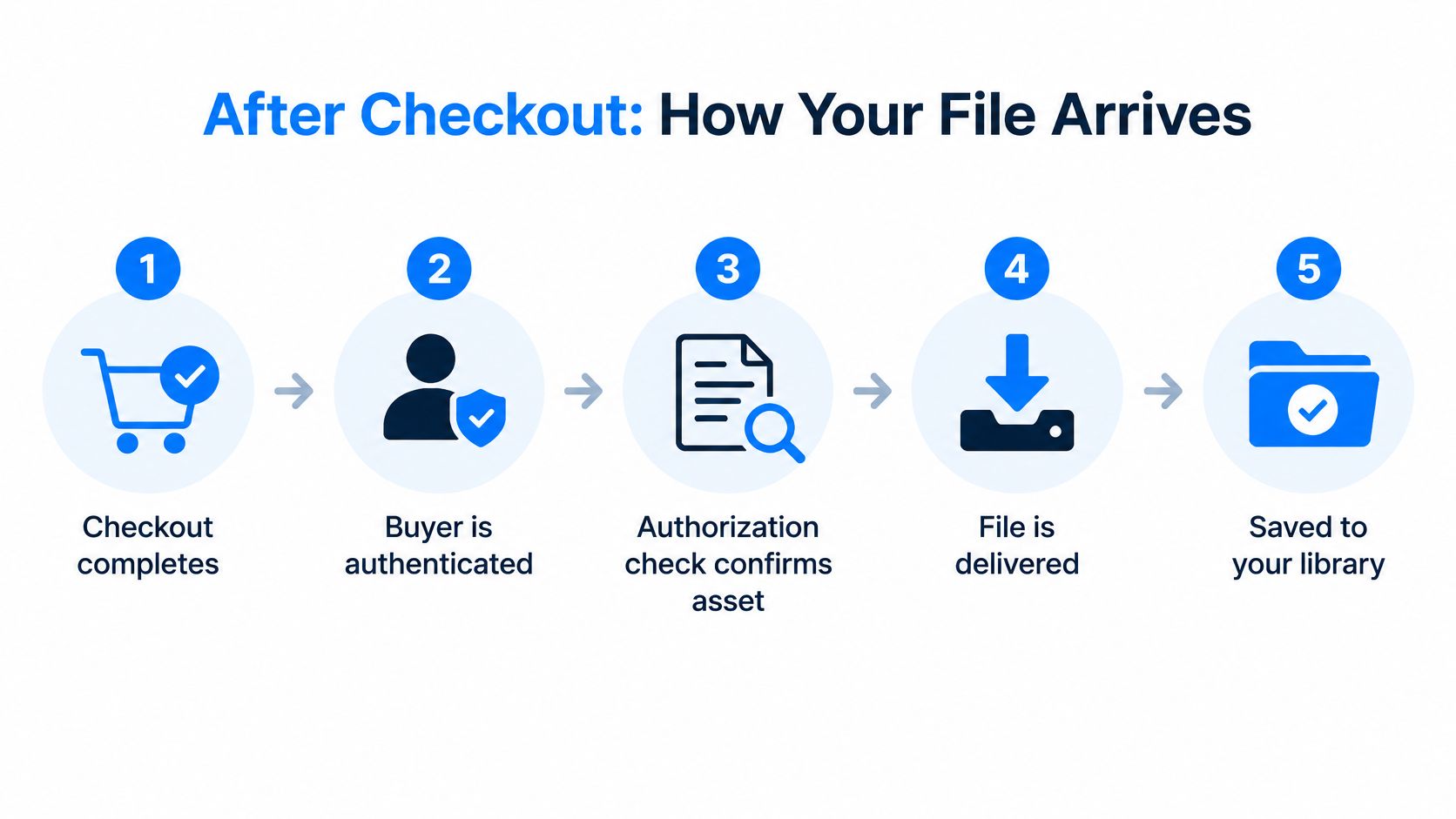
The request behind the click
When the buyer clicks your link, her browser sends an HTTP request for the file. The server's response includes a MIME type, which tells the browser what kind of file is arriving, and a filename, so it saves as something recognizable like Spring-Planner.pdf rather than a string of characters.
A header called Content-Disposition then guides what happens next. The W3C note on Content-Disposition distinguishes inline responses, meant for display in the browser, from attachment responses, meant to prompt local saving. For a paid workbook, attachment behavior usually matches buyer intent, because she clicked to keep the file.
When files are large or connections fail
A short PDF transfers in one go. A bundled course with video lessons may not. That's where Range requests help. MDN's guide to range requests explains that a client can request a specific byte interval, a compliant server replies with 206 Partial Content and a Content-Range header, and an unsatisfiable request can return 416 Range Not Satisfiable.
In plain terms, if a download stops near the end, the buyer's device can ask only for the missing bytes instead of starting again from zero. That saves bandwidth and patience. Strong delivery systems also use expiring, authorization-aware URLs, verify completion with a checksum such as SHA-256, and log the asset version, entitlement, timestamp, and any failure.
Practical rule: A delivery log proves a transfer was attempted or completed. It doesn't prove the buyer opened or understood the file, so keep your support path visible anyway.
You don't need to build this plumbing yourself. Comparing options in a guide to the best all-in-one platform for digital products in 2026 helps you check whether checkout, authorization, and file delivery already work together before you sell.
Common File Formats and When to Use Each
Format choice is a product decision, not a technical afterthought. The right format depends on what the buyer will do next. Will she print it, read it on a phone, edit it, watch it, or unpack several files at once?
PDF preserves a fixed page layout, which suits workbooks, certificates, planners, and print-oriented guides where spacing matters. EPUB is built for reading. Its reflowable text adapts to different screen sizes, so a text-heavy ebook stays readable on a phone or ereader instead of forcing the buyer to pinch and zoom.
Choosing the Right File Format
| Format | Best suited for | Why it works | Watch out for |
|---|---|---|---|
| Workbooks, printables, certificates | Fixed layout prints predictably | Can feel cramped on small phones | |
| EPUB | Text-heavy ebooks | Text reflows to fit the screen | Precise page design won't hold |
| MP4 | Video lessons | Widely playable video file | Large files need reliable delivery |
| MP3 | Audio lessons, audiobooks | Small, portable, easy to play offline | No visuals for steps that need showing |
| ZIP | Bundled templates, course packs | Several files arrive as one package | Some buyers don't know how to unzip |
| DOCX | Editable worksheets, drafts | Buyer can type, edit, and reuse | Formatting can shift between apps |
Use this decision rule. If layout must stay fixed, start with PDF. If reading comfort matters most, start with EPUB. If the buyer must change the content, offer DOCX. If you're delivering many assets, bundle them in ZIP and include a short start-here note naming each file.
Platforms vary in what they export. Genesize, for example, exports to PDF and Word, which lets a creator sell a polished printable version and an editable version from the same source content. If ebooks are your starting point, a walkthrough on how to sell ebooks online pairs well with this format decision, because pricing and delivery choices follow from it.
Licensing and What the Buyer Is Actually Receiving
A month after launch, a customer emails you. She loved your social media template pack and asks if she can add her logo, then resell it to her own clients. Your answer doesn't depend on how you feel that morning. It depends on the license wording she saw when she bought.
Receiving a file and owning rights in that file are different things. In most creator sales, the buyer receives permission to use the file under stated conditions. She doesn't automatically gain the right to resell it, redistribute it, or claim it as her own work.
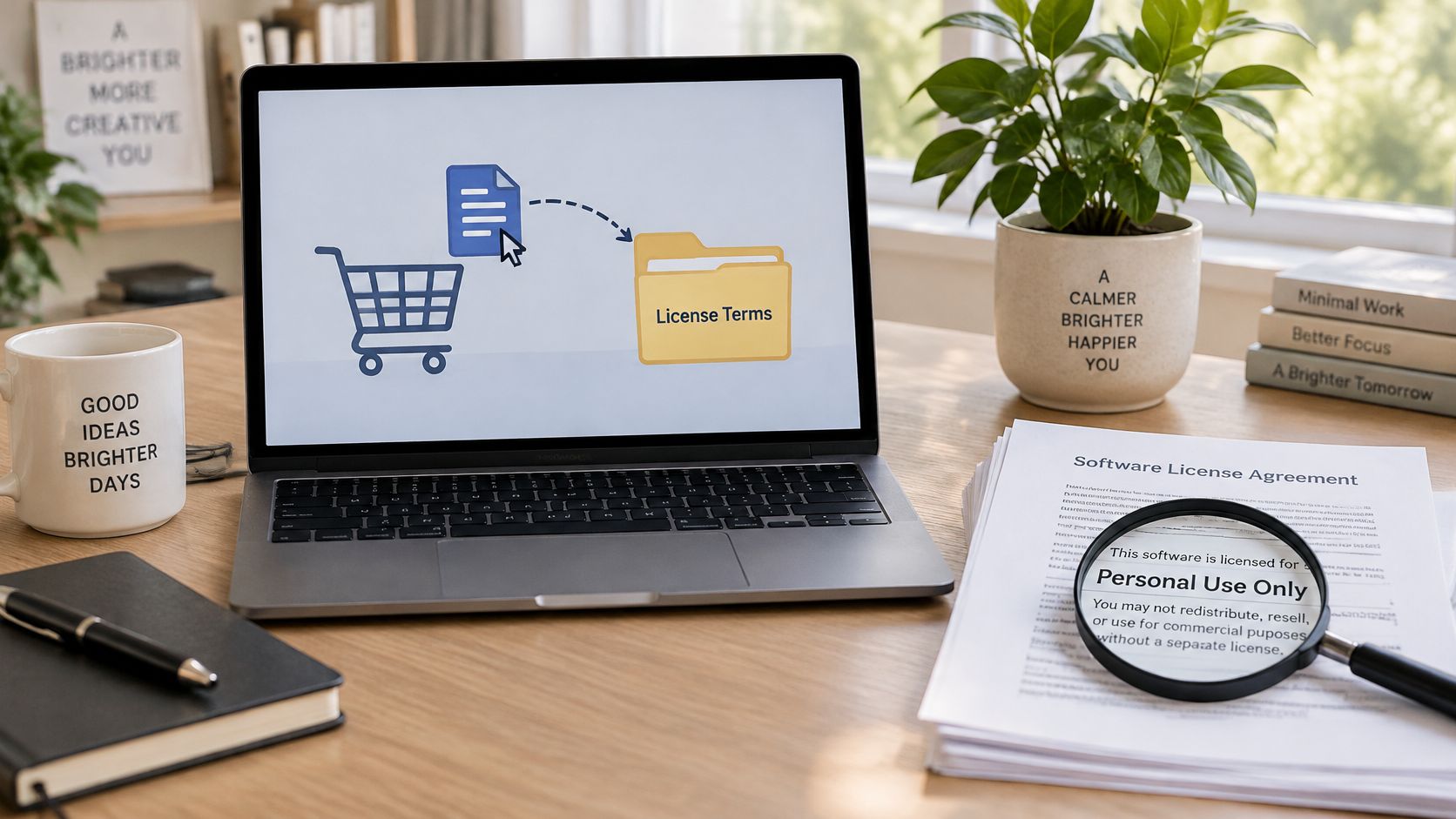
The license spectrum in plain language
- Personal use: The buyer can use the file for herself, not for client work or resale.
- Commercial use: The buyer can use it inside her business, within limits you define.
- Modification: State whether she may edit text, colors, or layout, and whether edited versions can be shared.
- Redistribution and resale: Say clearly whether the original or edited file can be given away or sold. Silence invites assumptions.
Put short, readable terms on the sales page and repeat them on the receipt or inside the download. Cover four points: what the buyer may do, what she may not do, how many people a team license covers, and whether future updates are included.
You don't need dense legal prose for a first product, but you do need consistency. If your sales page promises lifetime updates, your delivery system and records should support that promise. Clear wording protects buyers too, because honest customers would rather know the boundary than guess.
Accessibility, Devices, and Real-World Buyer Experience
It's tempting to picture every buyer as a confident phone user with fast Wi-Fi and the latest apps. Real audiences are wider than that. Ireland's 2025 household digital-consumer data, cited alongside EU material on digital services, reports that 20% of internet users aged 75 and over used downloaded ebooks or audiobooks.
That single figure should change how you prepare a file. A download that arrives successfully can still fail the buyer if the text is tiny, the PDF is only a scanned image, or a video has no captions.
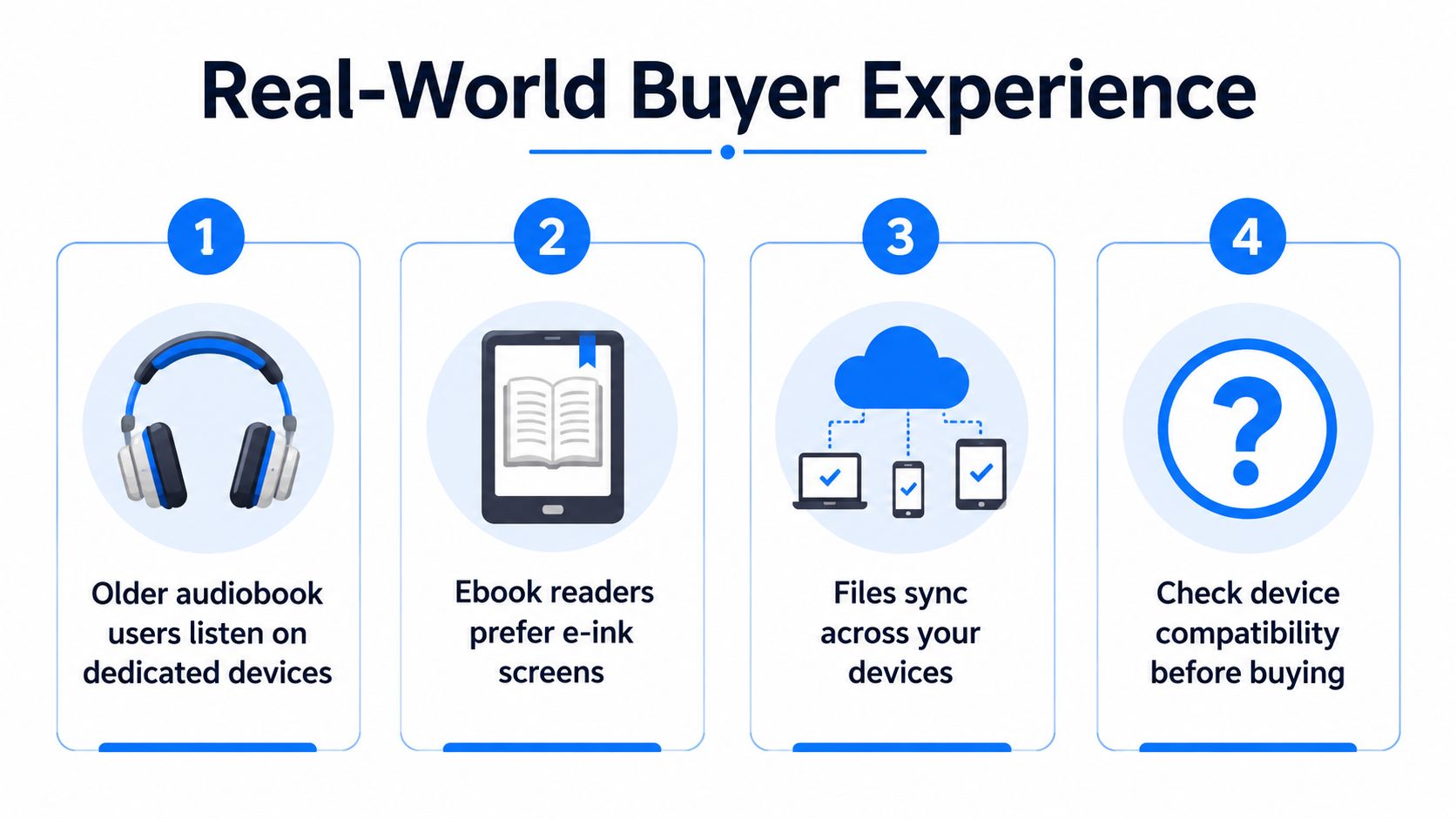
A buyer experience check before launch
Test your product the way a buyer will meet it, not the way you created it:
- Searchable text: Export real text rather than image-only pages, so buyers can search and assistive technology can read the content.
- Readable structure: Use clear headings, sensible reading order, and typography that stays legible when enlarged.
- Captions and transcripts: Add them for video and audio, so the lesson works without sound and can be reviewed as text.
- Device testing: Open the file on a phone, a tablet, and a computer you didn't create it on.
- Fallback and replacement: Offer a second format where practical, plus a clear way to replace a corrupted file or expired link.
Delivery quality is part of product quality. A buyer doesn't separate your content from the ten frustrating minutes she spent trying to open it.
Write your support instructions in ordinary language. Tell buyers which app opens the file, where downloads usually save, and how to contact you. Those few lines prevent many refund requests that were never really about the content.
Selling Across Borders and Tax Basics
A buyer in another country can purchase your ebook in under a minute. Your tax duties may not be that simple. For many digital sales, the relevant place isn't where you sit. It's where the buyer lives.
In the EU, electronically supplied services are generally taxed where the consumer lives. BDO's summary of international indirect tax developments notes the €10,000 annual threshold for certain cross-border EU sales, above which VAT is charged in the buyer's country, and describes the EU's 2025 VAT in the Digital Age directive with staged implementation from 2027 to 2035. Treat those future dates as a direction of travel, toward more digital reporting and electronic invoicing, not as rules you can ignore until they arrive.
Your pre-launch tax checklist
- Define the product: Is it an ebook, a course file, software, or a bundle? Classification can affect treatment.
- Separate buyer types: Consumer and business buyers may be handled differently.
- Identify buyer country: Collect and retain the location evidence your tax approach requires.
- Show pricing clearly: Decide on tax-inclusive pricing where required, so checkout doesn't surprise the buyer.
- Keep records: Retain transaction, invoice, and delivery records in an orderly system.
- Write refund terms: Explain how refunds work for a file that may already have been downloaded.
Rules vary by jurisdiction, and this overview isn't tax advice for your specific situation. If you expect meaningful cross-border sales, ask a qualified adviser before launch rather than after your first notice arrives. Instant delivery doesn't mean simple global selling, and planning early is far cheaper than untangling records later.
A Creator's Pre-Launch Checklist and Final Questions
Before you publish, run one end-to-end test as if you were a stranger buying your own product. Work through this list in order:
- Pick formats: Choose a primary format for the main use case and a fallback for buyers whose devices struggle.
- Test delivery: Buy or simulate a purchase, follow the email link, and save the file on more than one device.
- Check usability: Confirm searchable text, readable structure, captions or transcripts where needed, and sensible filenames.
- Write the license: State permitted use, prohibited use, team coverage, and update terms on the sales page and receipt.
- Prepare support: Publish replacement steps for expired links or corrupted files, with a contact route.
- Confirm tax basics: Know which buyer countries you expect, how prices display tax, and where records will live.
Three questions usually follow. How will you deliver a very large bundle reliably if connections drop? Would some buyers be better served by subscription access than a one-time file? How will you handle a refund request after a successful download? You don't need perfect answers today, but you do need written ones.
If your download is a lesson or workbook that may grow into something bigger, planning how to launch an online course helps you decide what stays a standalone file and what belongs in a fuller program. Start with one clear product, deliver it well, and let buyer feedback show you what to build next.
Ready to turn your knowledge into a file someone can buy and keep? Genesize helps you create ebooks and courses, export them as PDF or Word files, and sell through a hosted storefront with checkout and buyer delivery handled in one workspace. Visit Genesize to start building your first digital download today.